PS Remote Play Controller
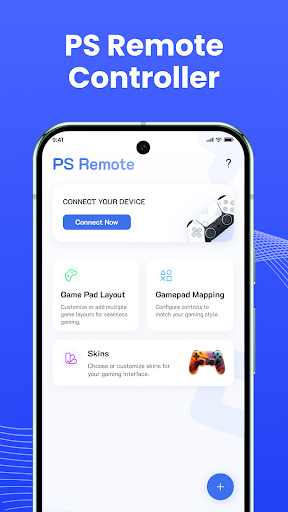
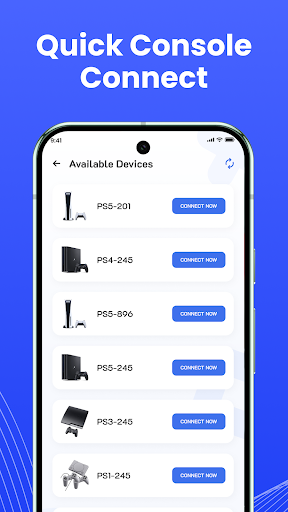
Transform your Android device into a virtual controller for a seamless remote gaming experience with the PS Remote Play Controller app. Designed to work in tandem with the official remote play setup from your PlayStation console, this third-party application allows you to control your gaming sessions using customizable on-screen touch buttons and layouts. Please note that this app does not stream games directly; your console must be configured for remote play prior to usage.

Core Features
- 🎮 Virtual Game Controller: Utilize your Android device as a virtual game controller for remote play.
- 🛠️ Customizable Layout: Enjoy a customizable layout and button mapping to suit your gaming style (Coming soon).
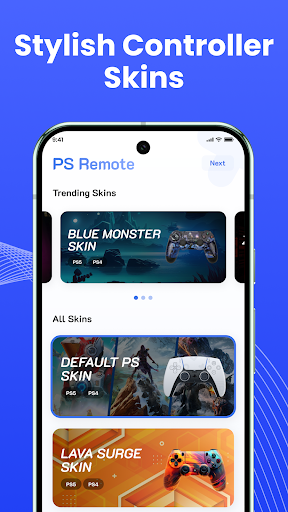
- 🎨 Diverse Controller Skins: Select from different controller skins and styles to enhance your experience.
- 🌗 Theme Support: Switch between dark and light themes to match your aesthetic preference.
- 🔄 Adjustable Streaming Quality: Stream games in up to 1080p resolution at 60 FPS for smooth performance.
Pros
- 🚀 Enhanced Flexibility: Play remotely without needing a physical controller.
- 📏 Custom Settings Export/Import: Easily adjust and transfer your personalized settings.
- 🌐 Multi-language Support: Use the app in your native language for better accessibility.
- ⚡ Stable Connectivity: Best performance with a stable 5GHz Wi-Fi connection for seamless gaming.
Cons
- 📱 Not a Direct Streaming Solution: Requires proper console setup; cannot stream games alone.
- 🆕 Limited Customization at Launch: Some features, like customizable layouts, are still in development.
- ⏳ Third-party Dependency: As a third-party app, it may lack full integration with official PlayStation services.
- 📲 Platform Limitations: Only compatible with Android 8.0 and newer devices.
Price
- 💵 Pricing: The app is free to download, but may include in-app purchases for future expansions.